Get free SAT & ACT tips delivered weekly




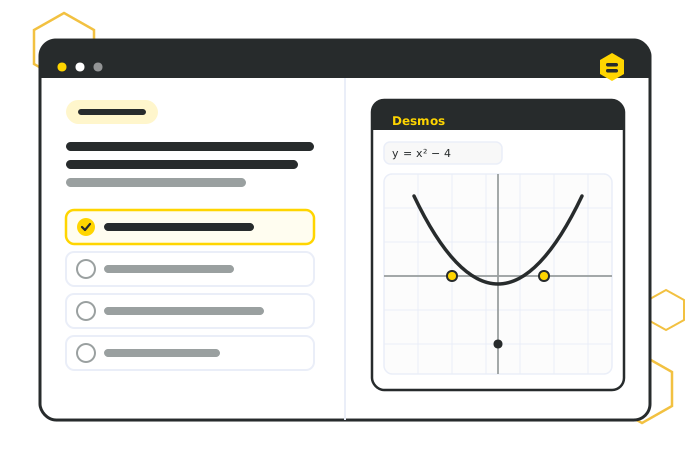
Digital SAT Math is two adaptive modules covering four domains: Algebra, Advanced Math, Problem-Solving and Data Analysis, and Geometry and Trigonometry. Algebra and Advanced Math make up the largest share of questions. A Desmos graphing calculator is available on every question, and the fastest way to improve is to target your weakest domain with real, test-format practice rather than grinding random problems.
The Digital SAT Math section is two modules, delivered on a computer and scored adaptively — how you do on the first module shapes the difficulty of the second. You get a calculator the entire time: the built-in Desmos graphing calculator, available on every question.
The math content comes from four domains: Algebra; Advanced Math; Problem-Solving and Data Analysis; and Geometry and Trigonometry. Together they cover linear and nonlinear equations, functions, ratios and data, and shapes and angles — a broad range, which is exactly why a scattershot approach struggles.
The fastest way to improve isn't grinding random problems. It's finding your weakest domains and practicing those with real, test-format questions. This guide maps the four domains, shows what matters most in each, and points you to where to go deeper.
The Digital SAT Math section has 44 questions across two 22-question modules (35 minutes each), and a Desmos graphing calculator is available on every one. Most questions are multiple choice, with about a quarter being student-produced response (type-in) questions. Source: College Board Digital SAT specifications.
The Digital SAT gives you the Desmos graphing calculator on every math question — and most students barely use it. Graphing an equation, finding intersections, or checking a solution visually can turn a two-minute problem into a ten-second one.
Preppinbee builds the real Desmos calculator right into our practice questions, so you're not just learning the math — you're rehearsing the exact tools and screen you'll have on test day. The more you practice with it, the more instinctive it becomes.